Aurender’s A1000 Network Music Server/Streamer/DAC Review
August 17, 2025 Comments Off on Aurender’s A1000 Network Music Server/Streamer/DAC Review
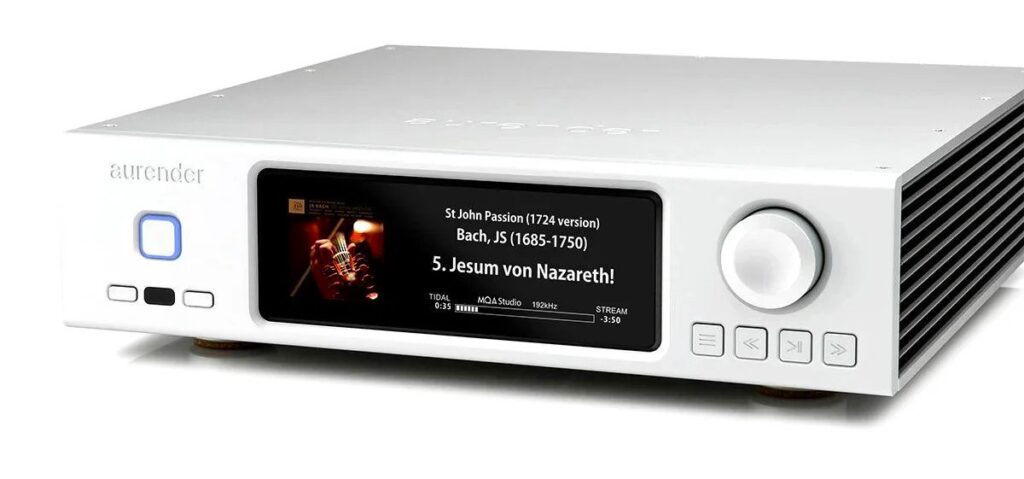
I’ve been playing with computer-based digital audio for well over a decade now, and I’m fairly confident in my abilities to will any particular device into functionality. That said, operating systems running a Linux-based OS can be a tad tricky, but it’s perfect for audio applications. The no-frills, barebones Linux OS minimizes background processes that interfere with music playback, and also runs fanless, eliminating a potentially vexing source of system noise. After looking through the quick-start information, I connected the A1000 to my home network, set the volume control to fixed output, and made the connection to my S.M.S.L. DAC. The S.M.S.L. VMV D2R utilizes a Japanese-made Rohm BD34301EKV chipset; the Rohm chips are some of the most impressively musical on the market, and this DAC came highly recommended to me by the folks at Euphony Audio.
I couldn’t locate a spare Solid State Drive for insertion into the A1000’s internal slot, so I initially connected my existing music library (on a pair of 2TB Samsung EVO SSD’s) to the USB 3.0 port. I then downloaded the Aurender Conductor app to both my smart phone and an Android tablet I used with the Euphony setup. A tablet-specific Conductor version is available, and provides a better interface for the size format, but my tablet wasn’t running the correct version of the Android OS. Regardless, the standard Conductor app worked surprisingly well on the tablet, and once I’d figured out its functionality, I had no complaints—at least until I attempted to play music.
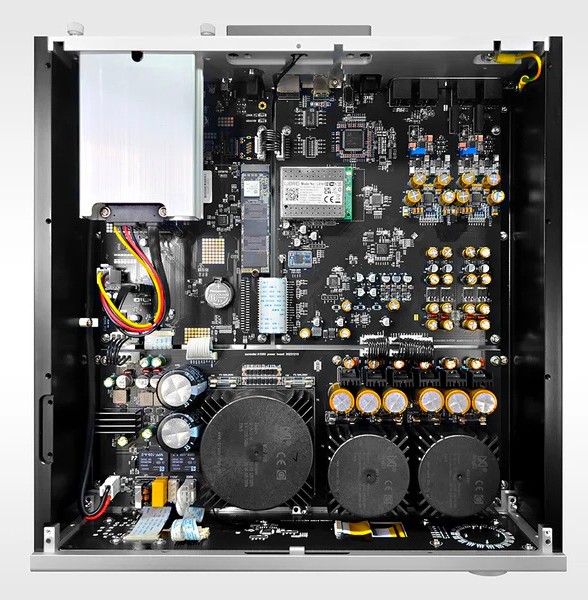
For starters, Conductor showed the contents of the SSD’s attached to the A1000, but the album artwork wouldn’t display, either on the tablet or the unit’s front panel during playback. As the selected file played, the display featured a generic icon along with incorrect bit and sample rate information. After re-reading all the help info and trying a number of different approaches, nothing seemed to work, so I caved and sent in a service request to Aurender. While waiting for a response, I had a bit of an epiphany, and started digging through a storage box of excess computer gear. Surprisingly, I located a Samsung EVO 960 500GB SSD and immediately inserted it into the A1000’s internal storage slot. Once properly formatted, I began populating it with frequently played albums using the Conductor app on my smart phone as I continued working on my laptop.
 Audiophilepure
You must be logged in to post a comment.